How Does an Intraoral Scanner Work? A Plain-English Guide for Dentists
Reading time: 7 minutes · Updated October 2026 · By Enzo, Dental Tech Expert
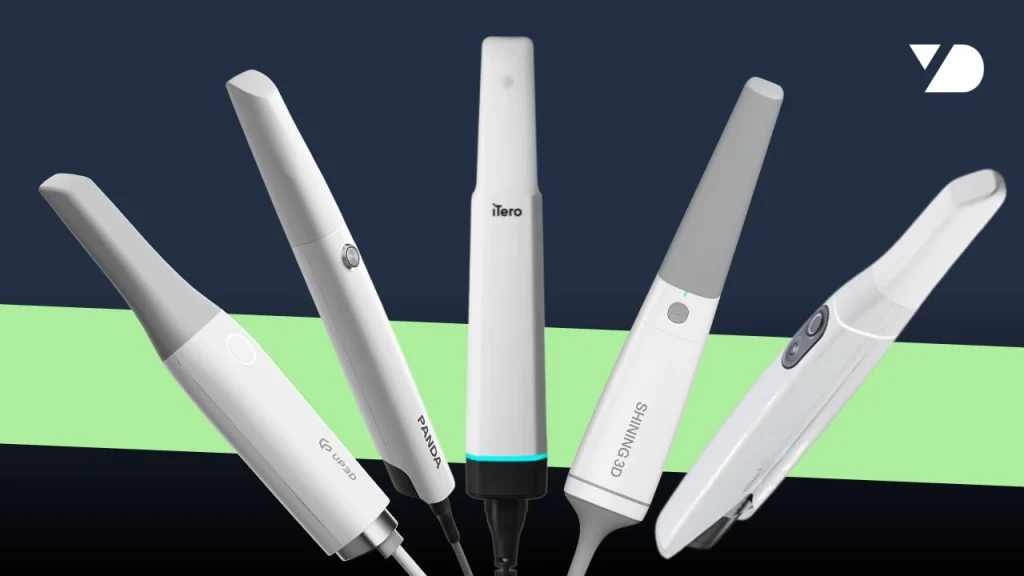
An intraoral scanner is a handheld camera that projects a light pattern onto the teeth and records how it bends over their surface. As you move the wand around the arch, the software stitches thousands of overlapping images into one 3D model, called a mesh. That model is saved as a standard file (STL, PLY or OBJ) you can send to a lab, design on screen, or send to a mill or 3D printer.
The result replaces the alginate or silicone impression. On today’s scanners, basic accuracy is no longer the difference between brands. What separates them is the software: how it guides the scan, records the bite, and what it lets you do with the file afterwards.
What happens when you scan
A scan goes through four steps, most of them invisible to the person holding the wand.
- Capture. Most scanners project structured light, a known pattern of light, onto the teeth and gums. Cameras inside the wand record how that pattern deforms over each surface. From that deformation, the software calculates depth.
- Stitching. Each image covers a small area. As you move along the arch, the software matches each new image to the ones before it and joins them into a continuous surface.
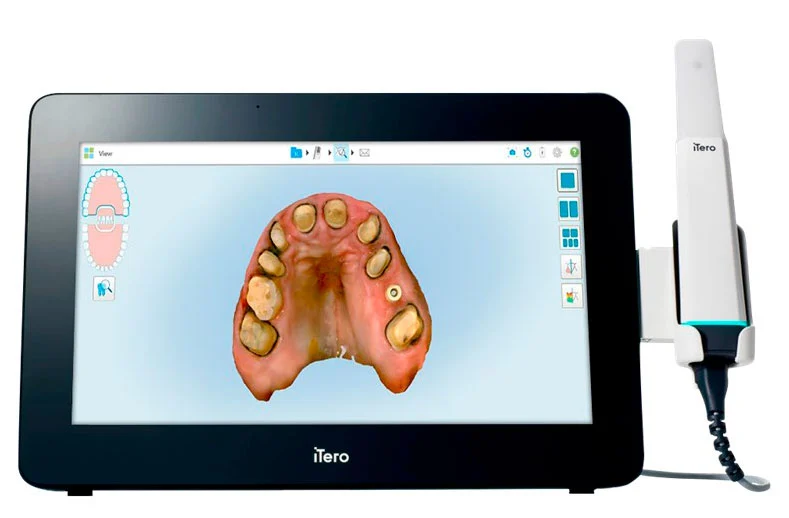
- The mesh. The joined surface becomes a 3D mesh: hundreds of thousands to millions of tiny connected triangles that describe the shape of the teeth. Color scanners also record the color of each area, which helps you tell gingiva from tooth and spot details on screen.
- Bite registration and export. You scan the upper arch, the lower arch, and a buccal scan of the patient biting down. The software aligns the two arches in occlusion. Then it exports the result as a 3D file.
Bite registration is one of the hardest steps to get right, and scanner software has put a lot of work into it. Some systems now guide the bite scan automatically to reduce errors.
STL, PLY and OBJ: what the file is
The scan leaves the scanner as a 3D file. STL is the most common format and describes only shape. PLY and OBJ can also carry color. What matters most is whether the file is open (standard and unencrypted, readable by any lab or design software) or closed (encrypted, readable only inside one brand’s ecosystem). An open file gives you the freedom to choose your lab, your design software and your next machine.
Why software now matters more than hardware
A few years ago, the race between scanner brands was about accuracy. Today, every serious scanner on the market is accurate enough for crowns, bridges, implant restorations and aligners. As Shining 3D’s technical support lead for Latin America put it in our interview, if a scanner isn’t accurate to within about 50 microns across an arch, it can’t compete at all.
So the differences moved to software:
- Guidance while scanning. Many scanners flag missing areas and poor margins in real time, so you rescan on the spot instead of discovering the gap later.
- Built-in design modules. Some scanners let you design crowns, splints or simulate orthodontic movement in the same software. Entry models usually leave these out and focus on scanning and sending to the lab.
- AI and cloud. Brands are adding AI-assisted and cloud design services; availability varies by market, so ask what is offered where you practice.
- Integrations. Direct submission to aligner platforms, labs and design software.
When you compare scanners, the spec sheet tells you less than a demo of the software does.
Watch: inside a scanner ecosystem
In this interview, Enzo sits down with Shining 3D’s technical support lead for Latin America to walk through how scanners work, what changes between entry and premium models, and how photogrammetry fits into full-arch work.
Photogrammetry: how scanners handle full arches
Regular intraoral scanning works best on teeth, which have plenty of shape for the software to match image to image. A fully edentulous arch with several implants is harder: long stretches of smooth soft tissue give the software little to hold onto, and small stitching errors add up across the arch. For an All-on-X case, those errors matter, because the framework has to fit every implant passively.
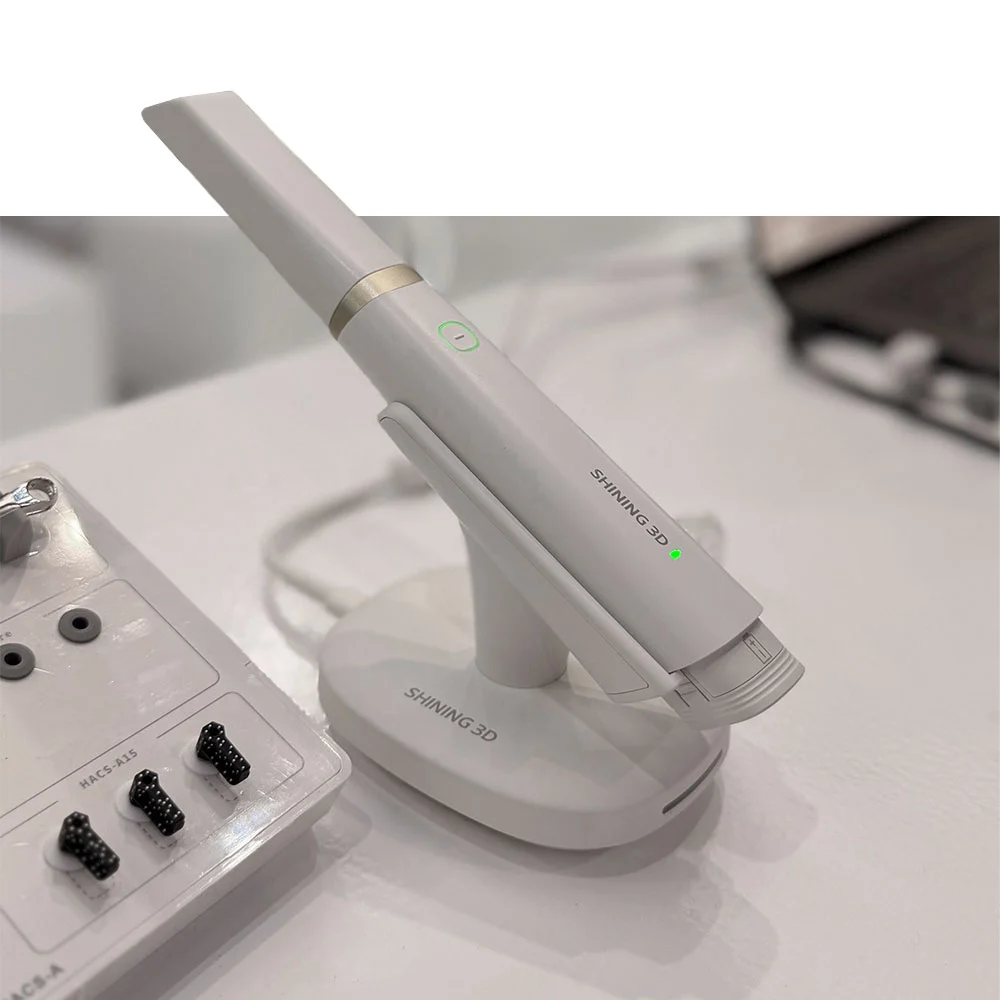
Photogrammetry solves this with special scan bodies. They are usually black with white dots, screwed onto each implant or multi-unit abutment. The geometry of every dot is stored in a library. When the scanner photographs the scan bodies, the software finds each dot, and because it knows exactly where the dots should be, it effectively calibrates itself as it scans. It then replaces each scan body with its exact digital model and reports the position of every implant.
There are three levels of accuracy for full-arch capture:
| Method | How it works | Where it fits |
|---|---|---|
| Regular intraoral scan | Standard scan bodies, stitched like any scan | Short spans; risky for full arches |
| Splinted or horizontal scan bodies (sold under several brand names) | Scan bodies that reach toward each other and reduce the soft tissue the scanner must stitch across | A lower-cost step up |
| Photogrammetry | Dotted scan bodies photographed and matched to a known library | The most accurate option for full arches, and simpler in practice |
Photogrammetry used to require a separate camera system next to your scanner. Some scanners now build it into the intraoral scanner itself: the Shining 3D Aoralscan Elite, for example, uses a dedicated photogrammetry tip and coded scan bodies (Shining 3D calls it Intraoral Photogrammetry, IPG) and, like the rest of the line, is an open system that exports STL, OBJ and PLY files, which design programs such as exocad and 3Shape read directly.
What a scanner lets you do
A scanner on its own already changes a lot, even with every manufacturing step still outsourced to your lab:
- Send crown and bridge cases to your lab in seconds, with no trays to ship
- See margins and gaps on screen and fix them before the patient leaves
- Submit clear aligner cases
- Plan implants, and capture full arches with photogrammetry
- Do digital smile design and show patients the plan on screen
That last point is underrated. A smile design on screen is a strong case acceptance tool, and it costs nothing extra if your scanner software includes it. In our six levels of digital dentistry, it is what moves a practice from level 2 (scan and send) to level 3, without buying another machine.
From there, the scanner is the first link in every in-house workflow. Add design software and a 3D printer, and you can make provisionals, guides and splints. Add a mill, and you can make definitive crowns the same day.
Beyond the mouth: facial scanners and jaw motion
The next layer of digital data is the face. Facial scanners capture the patient’s face in 3D and align it with the intraoral scan, which helps with smile design and aesthetic planning. Some add jaw motion: they record how the patient’s jaw actually moves and help set the vertical dimension of occlusion. Combined with photogrammetry, that brings fully digital full-arch rehabilitation within reach, from the old denture to the final All-on-X.
Frequently asked questions
It projects a pattern of light onto the teeth and records how the pattern deforms. Software converts thousands of these images into one 3D model of the arch, which is exported as a standard 3D file.
For crowns, bridges, implant restorations and aligners, modern scanners are accurate enough for routine clinical use. Their practical advantage is that you see and fix gaps immediately instead of finding a distortion when the lab does.
STL is the standard 3D file format a scanner exports. It describes the shape of the teeth as a mesh of small triangles, and any open lab, design software, mill or 3D printer can read it.
It is a method for capturing full-arch implant positions using scan bodies with dots of known geometry. The software uses those dots to calibrate itself, which makes it the most accurate way to scan full arches.
No. On its own, it improves how you work with your lab by sending clean digital files. Producing restorations in-house takes design software plus a 3D printer or a milling machine.
In our experience, a few weeks of daily use. Software that flags missing areas shortens the learning curve.
Next step
If you’re ready to compare models, read our intraoral scanner buyer’s guide, or run the lab-cost calculator to see what the cases you send out today cost you. You can also browse the intraoral scanners we offer, including the Shining 3D line; current pricing comes by e-mail on request and is confirmed in your quote.